

TFSA Contribution Room Calculator
This TFSA contribution room calculator adds up every annual limit you have earned since 2009, subtracts what you have put in and adds back what you have taken out, so you know how much you can deposit today. The 2026 limit is $7,000, and the most anyone can have from annual limits alone is $109,000, for someone who was 18 or older and resident in Canada every year since 2009. Enter your birth year, the year you became a resident and your deposits and withdrawals. Below the calculator you will find room by age, room for newcomers by arrival year, three worked examples and a penalty check.
 Written by Sharad Gondaliya, CPA CPAChartered Professional Accountant, CPA Ontario No. 61040184
 Financial reviewer: Neha Gupta, CFA CFA charterholderReview of this page scheduled
At a glance
What it answers. How much TFSA room you have right now in 2026, how much you had on January 1, 2026, and what carries into January 1, 2027.
What you enter. Your birth year, the year you became a resident of Canada (if you were not always one), any full years you lived abroad, your province, and your contributions and withdrawals before and during 2026.
Limits it uses. CRA’s annual TFSA limits from 2009 to 2026, including $7,000 for 2026 and $10,000 for 2015 only. The 2027 limit has not been published yet, so it is shown as “plus the 2027 limit”.
The rule it applies. Room = every annual limit since you qualified + withdrawals from earlier years – contributions. Withdrawals made in 2026 come back on January 1, 2027.
If you are over. The calculator flags a negative figure. The tax on an excess is 1% per month on the highest excess amount in each month.
Enter your details below. The calculator shows your room now, your room on January 1 of this year and next, and a year-by-year table of the limits you earned.
1. How to Use the TFSA Contribution Room Calculator
Start with three facts about you. Your birth year tells the calculator when you turned 18. The year you became a resident tells it when a newcomer’s room began; leave it blank if you have always lived in Canada. The years-abroad box takes any full calendar years you lived outside Canada, such as “2016, 2017”, because those years add no room.
Your province. This sets the age at which you can open a TFSA: 18 in Alberta, Manitoba, Ontario, Prince Edward Island, Quebec and Saskatchewan, and 19 in British Columbia, New Brunswick, Newfoundland and Labrador, the Northwest Territories, Nova Scotia, Nunavut and Yukon. It does not change your room: someone who must wait until 19 to open a TFSA still earns room from the year they turn 18.
Then your history. Enter total contributions and total withdrawals made before 2026, then contributions and withdrawals made so far in 2026. Keep the two periods separate. They are treated differently, because withdrawals made in 2026 do not add room until January 1, 2027.
| Input | What to enter | Common mistake |
|---|---|---|
| Year you were born | Your birth year | None; room starts in the year you turn 18 |
| Year you became a resident | Leave blank if always resident | Entering the year you became a citizen instead of the year you became a resident |
| Full years outside Canada | Only calendar years you were a non-resident for the whole year | Including the year you left or the year you returned, which both count in full |
| Contributions before 2026 | Every deposit at every institution | Including direct transfers between TFSAs, which do not use room |
| Withdrawals before 2026 | Every amount taken out, in cash or in kind | Leaving out a withdrawal from a TFSA you later closed |
| Contributions so far in 2026 | Deposits made since January 1, 2026 | Forgetting automatic monthly deposits |
| Withdrawals so far in 2026 | Amounts taken out since January 1, 2026 | Expecting them to raise your room now |
Reading the result. The headline figure is your room available now. Below it you see the room earned since your start year, your room on January 1, 2026, what you have used this year, and your room on January 1, 2027, which is shown as an amount “plus the 2027 limit” until CRA publishes that limit. The table lists each year’s limit and your running total.
2. The Rules Behind the Numbers
Your start year. The calculator starts counting in the latest of three years: 2009, when TFSAs began; the year you turn 18; and the year you became a resident. From that year to 2026 it adds each year’s limit, except any year you list as a full year abroad.
The room formula. Room for the year = the current year’s limit + unused room from earlier years + withdrawals made in the previous year – contributions made this year. Unused room carries forward with no expiry, so the calculator simply adds up every year.
No proration. The year you turn 18, arrive in Canada or leave Canada each count in full. A December arrival gets the same room for that year as a January arrival.
The limits it uses. These are CRA’s annual TFSA dollar limits. The limit is indexed to inflation and rounded to the nearest $500.
| Years | Limit each year | Total for the period |
|---|---|---|
| 2009 to 2012 | $5,000 | $20,000 |
| 2013 and 2014 | $5,500 | $11,000 |
| 2015 | $10,000 | $10,000 |
| 2016 to 2018 | $5,500 | $16,500 |
| 2019 to 2022 | $6,000 | $24,000 |
| 2023 | $6,500 | $6,500 |
| 2024 to 2026 | $7,000 | $21,000 |
| 2027 | Not published yet | Not published yet |
What it leaves out. Investment growth and losses do not affect room, so the calculator never asks for your balance. Direct transfers between your own TFSAs, transfers to a former partner under a court order or written separation agreement, and a surviving spouse’s exempt contribution filed with Form RC240 also do not use room, so leave them out of your contribution totals. For the full year-by-year history, see our TFSA contribution limit page.
Other accounts have their own room. TFSA room is separate from RRSP room, which comes from earned income, and from FHSA room, which is $8,000 a year once the account is open. Our RRSP tax refund calculator, FHSA calculator and RESP grant calculator handle those accounts, and the RESP guide covers saving for a child’s education. To decide which account to fill first, see FHSA vs TFSA, our guide to investment accounts in Canada, or all our calculators.
3. Worked Examples: Three People, Three Results
This example is hypothetical.
Leah: born 2000, always resident, some activity.
- She turned 18 in 2018, so she has earned every limit from 2018 to 2026: $57,000 ($5,500 + 4 x $6,000 + $6,500 + 3 x $7,000).
- Before 2026 she contributed $15,000 and withdrew $3,000 (in 2024). Room on January 1, 2026: $45,000 ($57,000 – $15,000 + $3,000).
- She has contributed $4,000 so far in 2026. Room now: $41,000 ($45,000 – $4,000).
- She has made no withdrawals in 2026, so on January 1, 2027 she starts with $41,000 plus the 2027 limit.
This example is hypothetical.
Marco: arrived in Canada in 2019 at age 30, never contributed.
- His start year is 2019, the year he became a resident. Years before he arrived do not count.
- Room earned 2019 to 2026: $51,500 (4 x $6,000 + $6,500 + 3 x $7,000).
- With no contributions, his room now is $51,500. If he had been treated as eligible since 2009, the figure would wrongly show $109,000, so the residency box matters.
This example is hypothetical.
Ruth: born 1990, nearly full, one deposit too many.
- She was 18 or older in 2009, so she has earned $109,000.
- She contributed $100,000 before 2026 and never withdrew. Room on January 1, 2026: $9,000 ($109,000 – $100,000).
- In April 2026 she deposits $12,000. Her room is now minus $3,000 ($9,000 – $12,000), so she has a $3,000 excess.
- She notices and withdraws $3,000 in July. The excess existed in April, May, June and July, so the tax is $120 ($3,000 x 1% x 4 months).
4. Reference Tables: TFSA Room by Age and by Arrival Year
Room by age. Find your age at the end of 2026. The figure is your total room in 2026 if you have been a resident since the year you turned 18 and have never contributed. Anyone 35 or older at the end of 2026 was 18 by 2009 and has the full $109,000.
| Age at the end of 2026 | Born in | Room in 2026 |
|---|---|---|
| 35 or older | 1991 or earlier | $109,000 |
| 34 | 1992 | $104,000 |
| 33 | 1993 | $99,000 |
| 32 | 1994 | $94,000 |
| 31 | 1995 | $89,000 |
| 30 | 1996 | $83,500 |
| 29 | 1997 | $78,000 |
| 28 | 1998 | $68,000 |
| 27 | 1999 | $62,500 |
| 26 | 2000 | $57,000 |
| 25 | 2001 | $51,500 |
| 24 | 2002 | $45,500 |
| 23 | 2003 | $39,500 |
| 22 | 2004 | $33,500 |
| 21 | 2005 | $27,500 |
| 20 | 2006 | $21,000 |
| 19 | 2007 | $14,000 |
| 18 | 2008 | $7,000 |
Room for newcomers by arrival year. If you became a resident of Canada at 18 or older, your room starts in your arrival year, which counts in full. The table assumes you have stayed a resident since arriving and never contributed. If you arrived before turning 18, use the age table instead, because your room starts in the year you turned 18.
| Year you became a resident | Annual limits counted | Room in 2026 |
|---|---|---|
| 2009 or earlier | 18 | $109,000 |
| 2010 | 17 | $104,000 |
| 2011 | 16 | $99,000 |
| 2012 | 15 | $94,000 |
| 2013 | 14 | $89,000 |
| 2014 | 13 | $83,500 |
| 2015 | 12 | $78,000 |
| 2016 | 11 | $68,000 |
| 2017 | 10 | $62,500 |
| 2018 | 9 | $57,000 |
| 2019 | 8 | $51,500 |
| 2020 | 7 | $45,500 |
| 2021 | 6 | $39,500 |
| 2022 | 5 | $33,500 |
| 2023 | 4 | $27,500 |
| 2024 | 3 | $21,000 |
| 2025 | 2 | $14,000 |
| 2026 | 1 | $7,000 |
The newcomer rule in one line. Room starts on the day you become a resident, only years of residency count, and you need a valid SIN to open the account. CRA’s own example: a person who became a resident in 2024 had $7,000 of room for 2024, not the total since 2009.
Mixed cases. If you arrived, left for some full years and came back, or arrived as a teenager, the tables cannot cover you exactly. The calculator handles any mix of birth year, arrival year and years abroad.
5. How Withdrawals and Re-Contributions Work in the Calculator
Earlier withdrawals add room now. Withdrawals made before 2026 have already been added back to your room on the January 1 after each one. That is why the calculator adds your total pre-2026 withdrawals straight into your room on January 1, 2026.
This year’s withdrawals wait. A withdrawal made in 2026 does not change your room for 2026. The calculator shows it only in your January 1, 2027 figure. For example, if Leah from section 3 withdrew $10,000 in 2026, her room now would still be $41,000, and her January 1, 2027 room would be $51,000 ($41,000 + $10,000) plus the 2027 limit.
Putting money back. You can redeposit at any time up to your room now. Anything above that figure is an excess until the next January 1. Run the calculator before you put back a withdrawal made this year, because the redeposit uses room just like a new deposit.
Growth comes back too. Enter withdrawals at the amount actually taken out, including any growth. If you contributed $10,000 and later withdrew $14,000, enter $10,000 as a contribution and $14,000 as a withdrawal. Your room ends up $4,000 higher than if you had never contributed, which is correct.
Transfers are not withdrawals. If you moved a TFSA from one institution to another by direct transfer, leave it out of both boxes. If you withdrew and redeposited it yourself, enter both amounts, because that is how CRA counts them. Our TFSA withdrawal rules guide covers timing and transfers in detail, and our guide on how to transfer a TFSA explains the direct-transfer process.
6. If the Calculator Shows You Are Over
A negative result is an excess. If your room now is below zero, you have contributed more than your room allows. The calculator shows the amount and an estimate of the monthly tax.
The tax. An excess is taxed at 1% per month on the highest excess amount in each month it remains. There is no grace amount, and a month counts in full even if the excess existed for only part of it.
What to do. Please withdraw the excess as soon as you find it. Then file the TFSA Return and pay the tax by June 30 of the following year. The excess also ends when new room arrives on January 1 and covers it, but waiting costs 1% for every month until then.
Deposits while abroad. A contribution made while you are a non-resident is taxed at 1% per month on its own, until it is withdrawn or you become a resident again. If it also exceeds your room, the 1% excess tax applies on top.
Check the cost. Use this calculator to see the tax on any excess for the number of months it stayed in the account, and how much you save by removing it a month sooner.
Found room you did not know you had? Compare where to put it to work.
7. How Much TFSA Room Do I Have? Our Figure vs CRA My Account
Two sources, one answer. CRA keeps its own record of your TFSA room, which you can see in CRA My Account. It is built from the contributions and withdrawals your TFSA issuers report to CRA. Our calculator is built from what you enter. When both use the same history, they agree.
Why they can differ. CRA’s figure may not yet include recent transactions, especially deposits and withdrawals made this year. An institution may have reported a transfer as a withdrawal and a new contribution. Or a TFSA you forgot about may show up in CRA’s records but not in yours.
How to compare. Start with the room on January 1 of the current year, because that is the figure least affected by timing. Compare it with the calculator’s “Room on January 1, 2026” line. If they match, apply this year’s deposits yourself. If they do not, list every contribution and withdrawal by year and institution and look for the gap.
When CRA shows less than we do. Treat the lower figure as your limit until you know why. Depositing up to the higher figure risks the 1% monthly tax if CRA’s records turn out to be right.
Fixing a reporting error. If an institution reported a transaction wrongly, ask it to correct what it filed with CRA. Keep statements that show each transaction, because they are your evidence if CRA later says you were over.
Use both. CRA’s figure is the official record. The calculator is a fast way to check it, plan this year’s deposits, and see your January 1, 2027 starting point before CRA updates anything. How we check the limits it uses is set out in our editorial standards.
8. What Your TFSA Room Could Grow To
Room is the ceiling, growth is the point. Every dollar of room you fill can earn interest, dividends and gains that are never taxed in a TFSA. The longer the money stays in, the larger the share of the final balance that comes from growth.
A simple illustration. This example is hypothetical, and 5% is not a forecast. Depositing $7,000 at the start of each year and earning 5% a year, compounded yearly, gives $7,350 after one year ($7,000 x 1.05), $15,067.50 after two ($14,350 x 1.05) and $23,170.88 after three ($22,067.50 x 1.05). After 20 years the balance is $243,034.76, of which $140,000 is deposits ($7,000 x 20) and $103,034.76 is growth. Future TFSA limits are not known, so the $7,000 a year is an assumption.
Catching up with a lump sum. Someone who deposits the full $109,000 of room at once and earns a hypothetical 5% a year for 10 years ends with $177,549.51 ($109,000 x 1.05 to the power of 10). All $68,549.51 of growth is tax-free inside the TFSA.
Try your own numbers. This calculator adds monthly deposits at the end of each month and shows the balance year by year. Because it uses monthly deposits, its results differ slightly from the yearly example above.
Where the money sits matters. Savings accounts and GICs give a fixed or variable interest rate; investments can earn more or less. Compare current high-interest savings rates and GIC rates, or the brokerage options in our best TFSA accounts list and the Wealthsimple TFSA review. For US holdings, read about US stocks in a TFSA and the best TFSA for US stocks. The full compound interest calculator page has more options.
8 Ways to Use the TFSA Calculator Well
1. Run it before every large deposit
A two-minute check before you move money helps prevent a common TFSA penalty. It matters most when you have several TFSAs or made a withdrawal earlier in the year.
2. Run it again each January
On January 1 your withdrawals from last year and the new limit arrive together. Once CRA publishes the 2027 limit, rerun the calculator to see your full 2027 room.
3. Treat the lower figure as your limit
If CRA’s figure and ours differ, use the lower one until you have found the reason. The cost of waiting is small; the cost of an excess is 1% a month.
4. Keep transfers out of the totals
Direct transfers between your TFSAs do not use room. Including them makes your room look smaller than it is and can hide room you could use.
5. Run it for both partners
Each spouse or partner has separate room. Running the calculator for each shows the household total and which account has space for the next deposit.
6. Test a move abroad before you go
Enter the full years you expect to be away to see what room you would give up. Make any deposit you want while you are still a resident.
7. Check before automatic deposits begin
Monthly pre-authorized deposits keep running until you stop them. Use your room figure to set an amount and an end date that stay inside it.
8. Save the result with the date
Note your room and the date you checked. A short record of each check makes next year’s calculation faster and gives you evidence if a figure is ever questioned.
TFSA Contribution Room Calculator FAQ
How do I calculate my TFSA contribution room?
Add every annual TFSA limit from the year you turned 18 or became a resident (but not before 2009) to the current year. Subtract all your contributions and add back all withdrawals made in earlier years. Then subtract what you have contributed this year. The result is your room now. Our calculator does each step for you.
How much TFSA room do I have if I have never contributed?
If you were 18 or older and resident in Canada every year since 2009, you have $109,000 in 2026. If you turned 18 or arrived later, your room starts in that year: for example, $57,000 if you turned 18 in 2018, or $21,000 if you became a resident in 2024 as an adult.
How much TFSA room does a 25-year-old have?
A person who is 25 at the end of 2026 was born in 2001 and turned 18 in 2019. If they have been a resident since then and never contributed, they have $51,500 of room in 2026. That is the sum of the limits from 2019 to 2026.
Does the calculator include the 2027 TFSA limit?
Not yet. The 2027 TFSA limit has not been published. The calculator shows your January 1, 2027 room as your unused 2026 room plus your 2026 withdrawals, “plus the 2027 limit”. We will add the official figure as soon as CRA publishes it.
Why is my CRA My Account figure different from the calculator?
CRA’s figure comes from what your TFSA issuers report, so it may not include recent transactions, and a transfer may have been reported as a withdrawal and a new deposit. Compare the January 1 room in both, then list your transactions by year to find the gap. Until you know the cause, treat the lower figure as your limit.
Should I include TFSA transfers in my contributions?
No, not if they were direct transfers between your own TFSAs, because those do not affect your room. If you withdrew money and redeposited it yourself, enter it as both a withdrawal and a contribution, because that is how it counts. Transfers to a former partner under a court order or written agreement are also left out.
How do withdrawals affect my TFSA room?
A withdrawal is added back to your room on January 1 of the year after you make it. It does not increase your room in the same year. The calculator adds withdrawals made before 2026 to your current room and shows 2026 withdrawals in your January 1, 2027 figure.
How much TFSA room does a newcomer to Canada have?
A newcomer who arrives at 18 or older earns room from the year they become a resident, and that year counts in full. A person who became a resident in 2019 and never contributed has $51,500 in 2026, and a 2026 arrival has $7,000. Years before arrival never count.
What does it mean if the calculator shows negative room?
It means you have an excess: you contributed more than your room allows. The excess is taxed at 1% per month on the highest excess in each month. Withdraw it as soon as possible, then file the TFSA Return and pay the tax by June 30 of the following year.
Does investment growth count toward my TFSA room?
No. Growth and losses inside a TFSA do not use or add room. Only contributions use room, and only withdrawals add it back, on the next January 1. That is why the calculator never asks for your account balance. Growth still matters when you withdraw, because the full amount taken out returns as room.
You know your room. Next, choose the account that will hold it.
Figures on this page were checked against Canada Revenue Agency publications on October 22, 2026. We update this page when a figure changes.
Meet the Experts Behind WealthScale

Sharad is a CPA Ontario member (No. 61040184) and a Certified Public Accountant licensed in Washington and Montana, with more than 15 years in accounting and tax, a Diploma in Banking and Finance and a Certificate in Small Business Finance. He checks WealthScale content against primary sources. WealthScale is independent of his firm, Gondaliya CPA Professional Corporation, and provides general information only, not personal financial, investment, tax or legal advice.
- Chartered Professional Accountant, CPA Ontario
- Certified Public Accountant, Washington (No. 57629) and Montana (No. PAC-CPAP-LIC-033176)
- Writing on tax and registered accounts since 2021
- Reader’s Choice Award 2025 Winner, Best Accountant (Toronto)
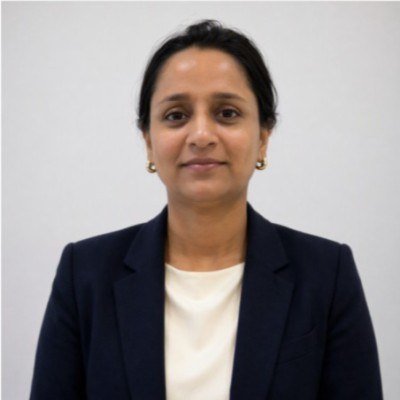
Neha Gupta is a CFA charterholder based in Winnipeg who has worked in financial markets since December 2005. She has published more than 2,600 investment articles and is Head of Operations and Finance at Whiteland Real Estate. She reviews WealthScale’s investing pages for accuracy.
- CFA charter, CFA Institute (awarded 2023)
- Post Graduate Diploma in Business Administration (Finance), 2008
- In financial markets since December 2005
- More than 2,600 published investment articles
General information only. Not financial, investment, tax or legal advice. WealthScale is independent and is published by WealthScale Media Inc., 55 Queen St E, Suite 1205, Toronto, ON M5C 1R6. CFA® and Chartered Financial Analyst® are registered trademarks owned by CFA Institute.